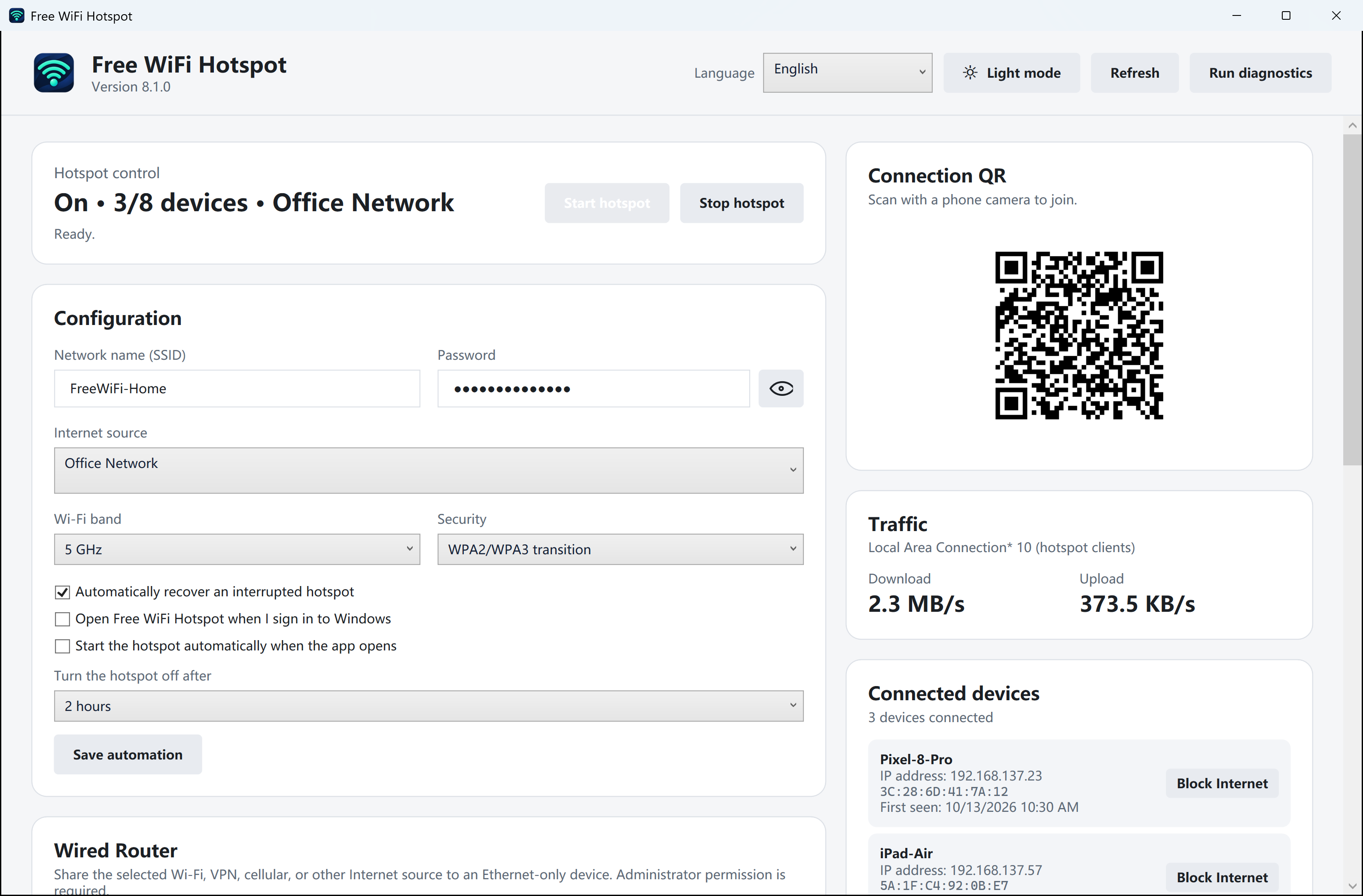
Leave the dashboard open
Make a note of the clients currently shown. Start with a phone or tablet you have in your hand. Write down the displayed name and address rather than relying on the name alone.
Disconnect one device, then bring it back
Turn Wi-Fi off on that device. Refresh or wait for the PC’s list to settle, then reconnect it. Watch which entry disappears or stops updating, then returns. Repeat with the next device. A stale entry or a private address can make a single snapshot misleading.
Decide what to do with the remaining entry
If you manage the hotspot and a client is still unaccounted for, use the app’s block control for that device or stop the hotspot. To replace shared credentials, warn people using the connection, change the password and reconnect the devices you recognize.